Vacations
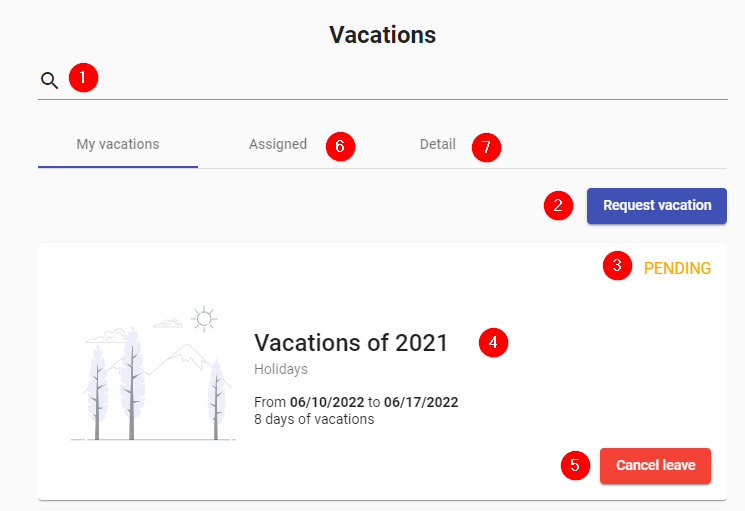
- Search: Allows you to filter vacations by period, days requested, dates, comment, status, etc.
- Request: Choose dates for the next vacation.
- Status: Status of the vacation requested. It can be APPROVED, REJECTED or CANCELLED.
- Description: Details of the vacation: Period, comment, dates, number of vacation days.
- Cancel: Button to cancel the vacation that appears only when the vacation is pending.
- Assigned: Number of vacation days assigned.
- Detail: Total days, used and pending days are displayed.