Clock in
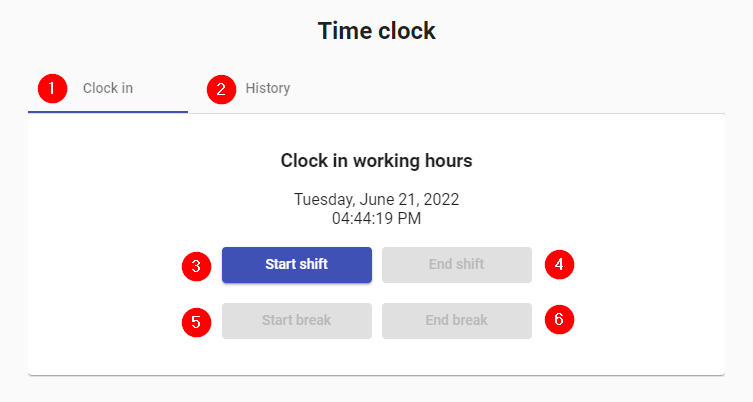
- Sign in: Clock-in data, day and corresponding schedule.
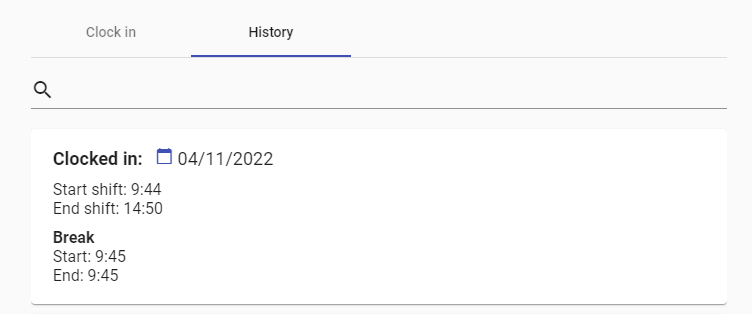
- History: History with all the punches made.
- Entry: Button that when clicked marks the beginning of the day.
- Exit: Button that when clicked marks the end of the day.
- Start break: Button to start a break. Pressing it disables it and the Exit button, and enables End break.
- End break: Button to end the break. When pressed, Start break and Exit are enabled again.
- Search: Allows to search for clockings according to the registered date.
- Data: Available data of the clocking in, breaks and clocking out. If there were no breaks taken on that date, they are not shown. If the output is not marked, it appears empty.