Training courses
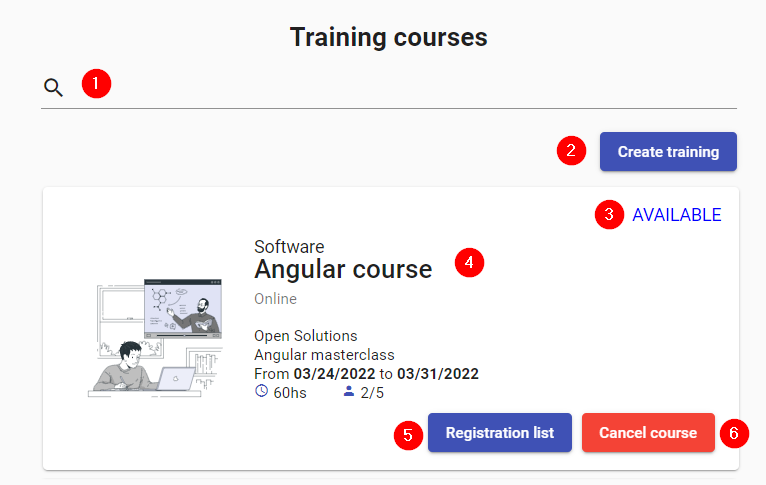
- Search: Allows you to filter through the available trainings.
- Create training: Button to enter new training to the system.
- Status: Training status. It can be AVAILABLE, FINISHED, ENDED, FINISHED, COMPLETED or CANCELLED.
- Details: Description of the training: Category, title, mode of presentation, company, description, start and end date, total hours, and number of open and filled positions.
- List: List with the names of the registered employees, the company they belong to and the grade obtained. Buttons are shown to approve or disapprove each employee.
- Cancel: Button to cancel the training.