Vacations
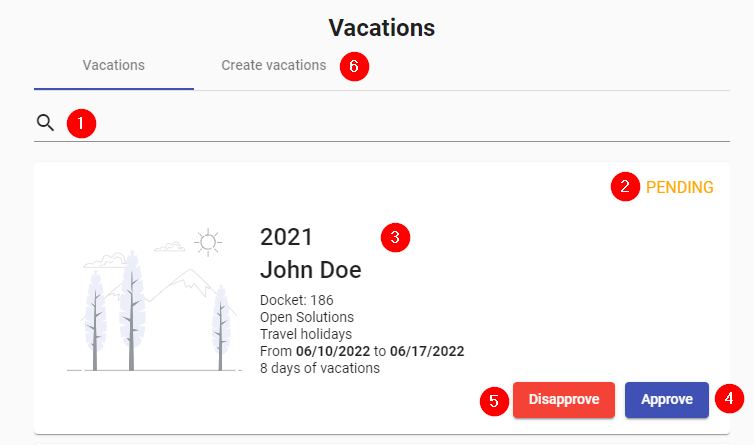
- Search: Allows you to filter among the existing vacations.
- Status: Shows the status of the requested vacations. It can be PENDING, APPROVED or REJECTED.
- Details: Displays the vacation period, the employee's name, job title, comment, the date requested, and the number of vacation days required.
- Approve: Button to approve the vacation.
- Reject: Button to reject the vacation.
- Create vacations: Allows to create the vacations so that the employees can request them.