Settings
Leave settings
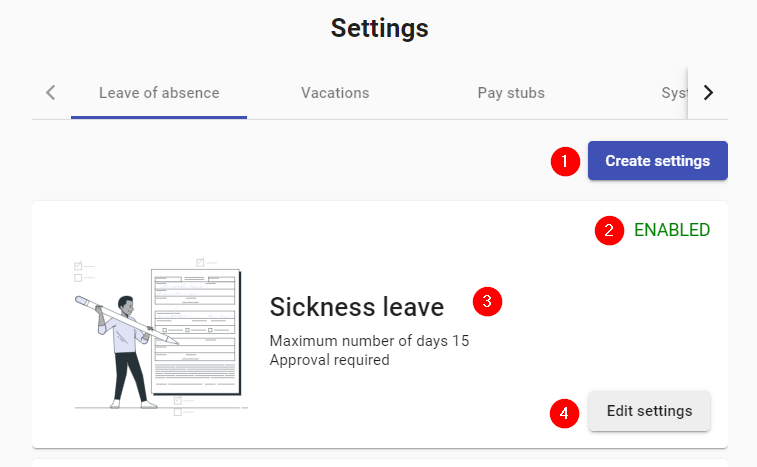
- Create: Button to create new license configuration. Details in the next image.
- Status: It can be ENABLED, DISABLED or DELETED.
- Description: Information of the preconfigured licenses already loaded in the system.
- Edit: Button to edit or disable loaded configurations.
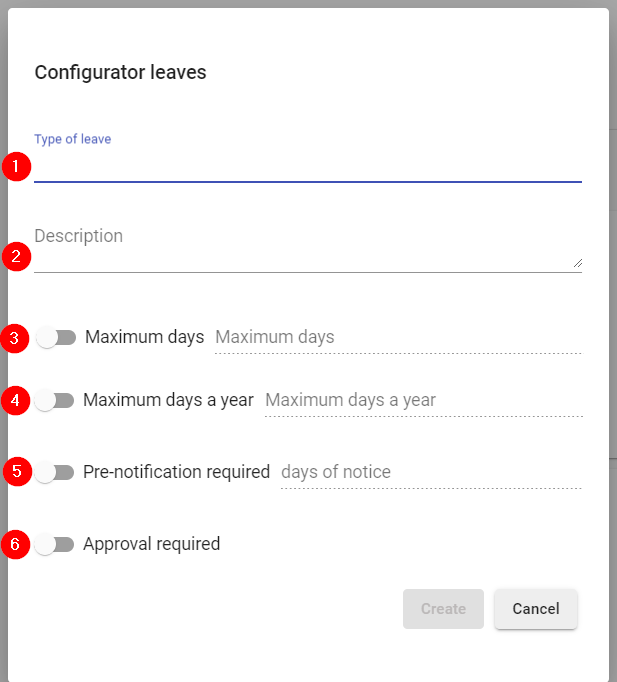
- Name: Name of the type of configuration to be loaded for licenses.
- Description: Description of the new configuration.
- Days: Maximum days that can be requested. Leave unchecked so that there is no limit of days.
- Annual maximum: Maximum days that may be requested annually. Leave unchecked so that there is no annual limit of days.
- Notice: Days in advance to give notice of the leave. Leave unchecked so that no notice is required.
- Approval: Check to have this leave require approval of an administrator.
Vacations settings
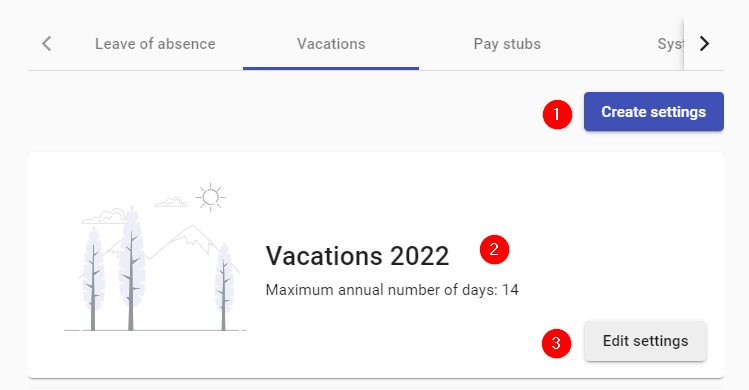
- Create: Button to create new vacation configuration.
- Description: Information of the preconfigured vacations already loaded in the system.
- Edit: Button to edit or disable loaded configurations.
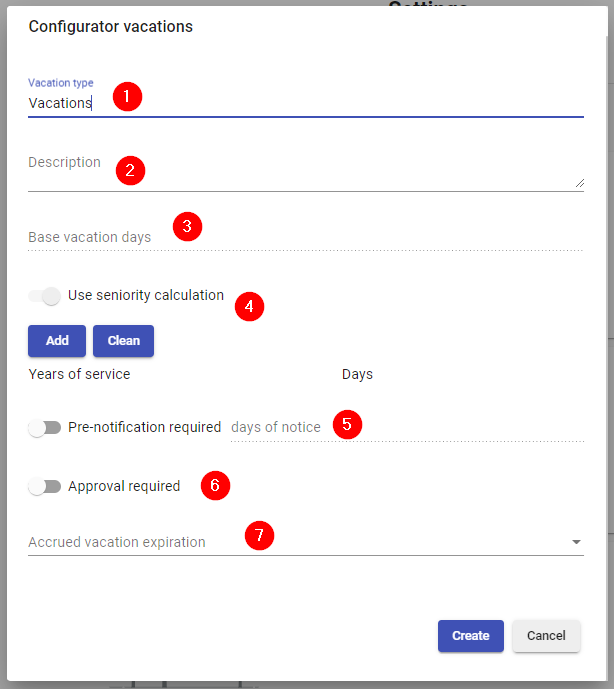
- Name: Name of the type of configuration to be loaded for vacation.
- Description: Description of the new configuration.
- Base days: Minimum days to be assigned to the vacation.
- Seniority: If this option is checked, the days that are added to the vacations according to the employee's seniority can be configured.
- Notice: Days in advance to give notice of vacations. Leave unchecked to not require advance notice.
- Approval: Check to have this leave require the approval of an administrator.
- Expiration: Number of cycles that must pass before the vacation days expire. Choose no expiration so that the vacation days do not expire.
Pay stubs settings
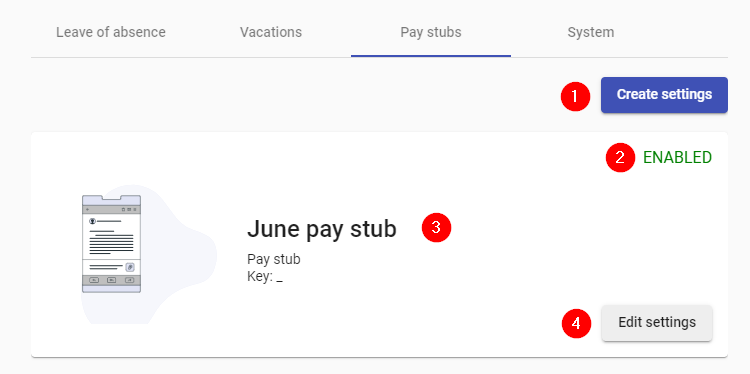
- Create: Button to create a new receipt configuration.
- Status: Receipt status, it can be ENABLED or DISABLED.
- Description: Information of the preconfigured receipts already loaded in the system.
- Edit: Button to edit or disable loaded configurations.
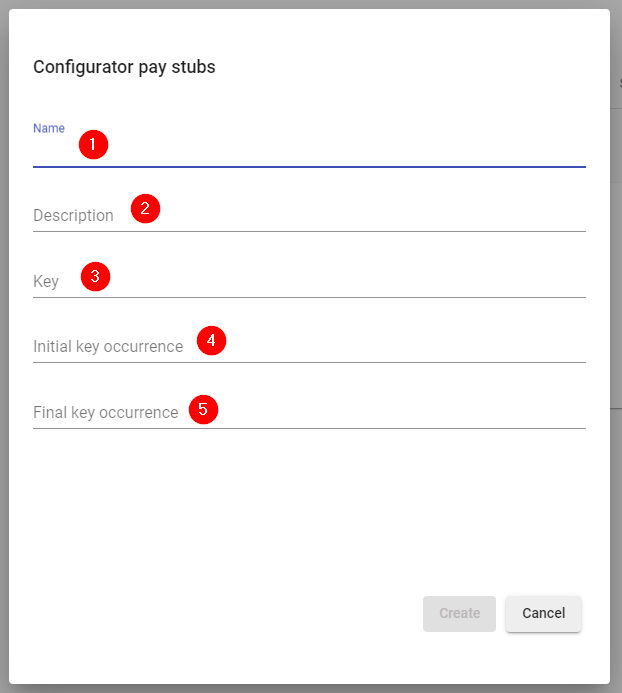
- Name: Name of the type of configuration to be loaded for receipts.
- Description: Description of the new configuration.
- Key: Key to separate the words in the file name to be created for each receipt.
- Initial occurrence: Prefix accompanying the key.
- Final occurrence: Suffix that accompanies the key.