Dashboard
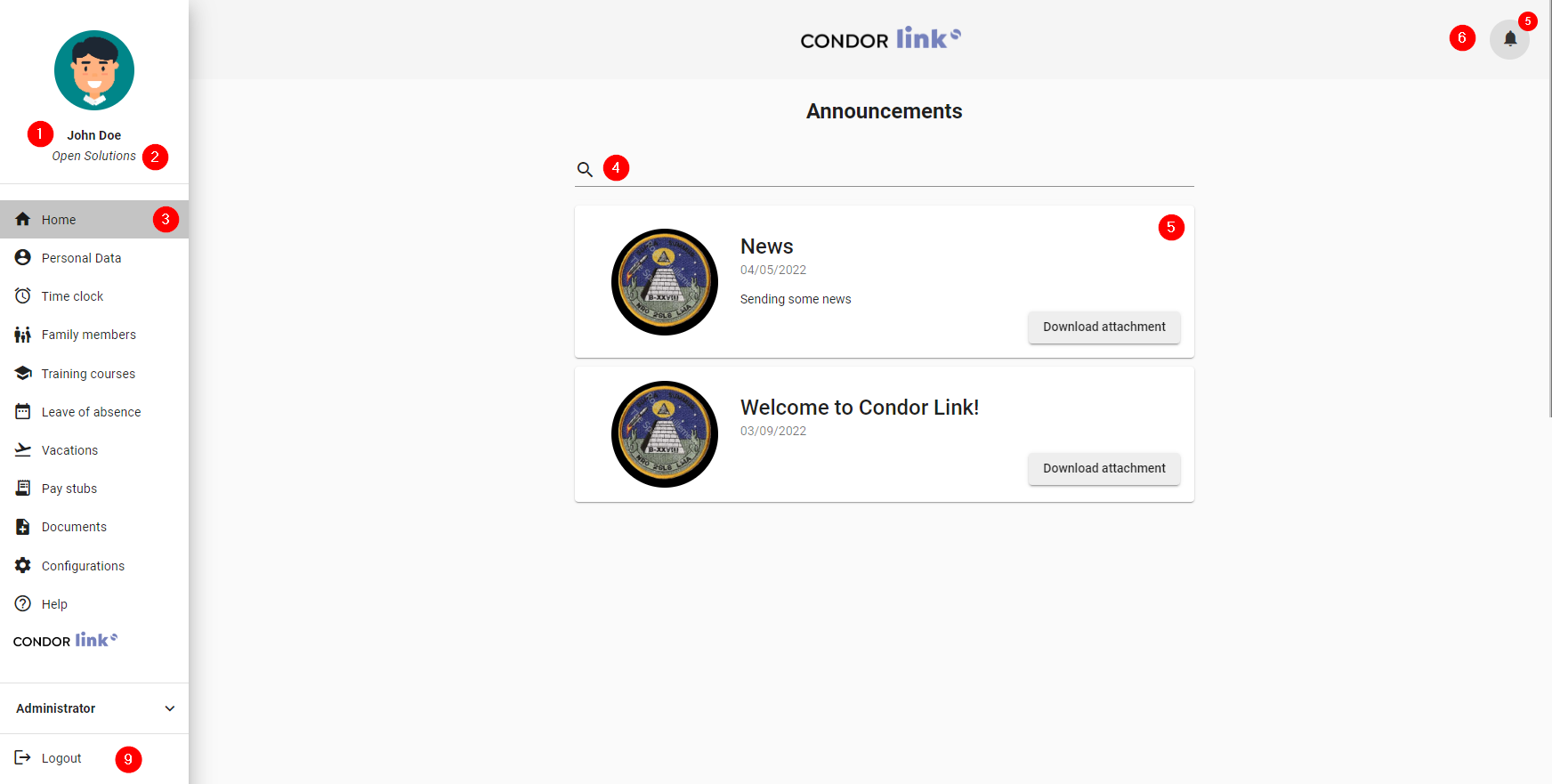
- Name: Indicates the user's first and last name.
- Company: Indicates the company the user belongs to.
- Current route: The active page in the sidebar is grayed out.
- Search: Search bar. Filters all the data seen in each item.
- Communications: Section to visualize company communications. It displays the image of the administrator who sent the news, the date, and the content. If a file has been added to it, a button appears to download it.
- Notifications: Clicking on the bell icon opens a tab where users can view all available notifications.
- View notification: Redirects users to the notification path.
- Close notification: Removes the notification from the tab.
- Exit: Button to exit the system.