Employees
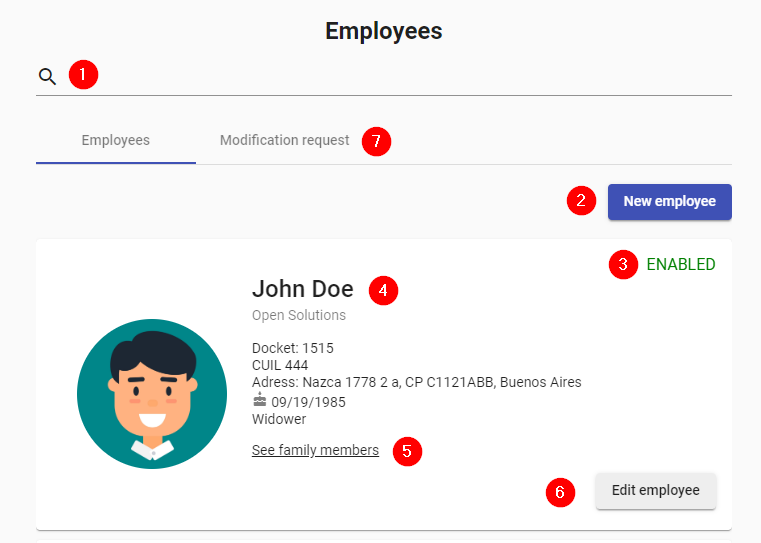
- Search: Allows to filter the employees according to the available data.
- Add: Button to create a new employee.
- Status: Can be ENABLED or DISABLED.
- Description: Employee details are displayed: profile picture, name, company, company file, CUIL, address, date of birth, marital status, date of leaving (if applicable).
- Family members: Link to view the employee's family members loaded in the system.
- Edit: Button to edit the employee's data. No approval required.
- Modification Requests: Users who made modifications to their personal data and require approval are displayed.
Activation of users and configuration
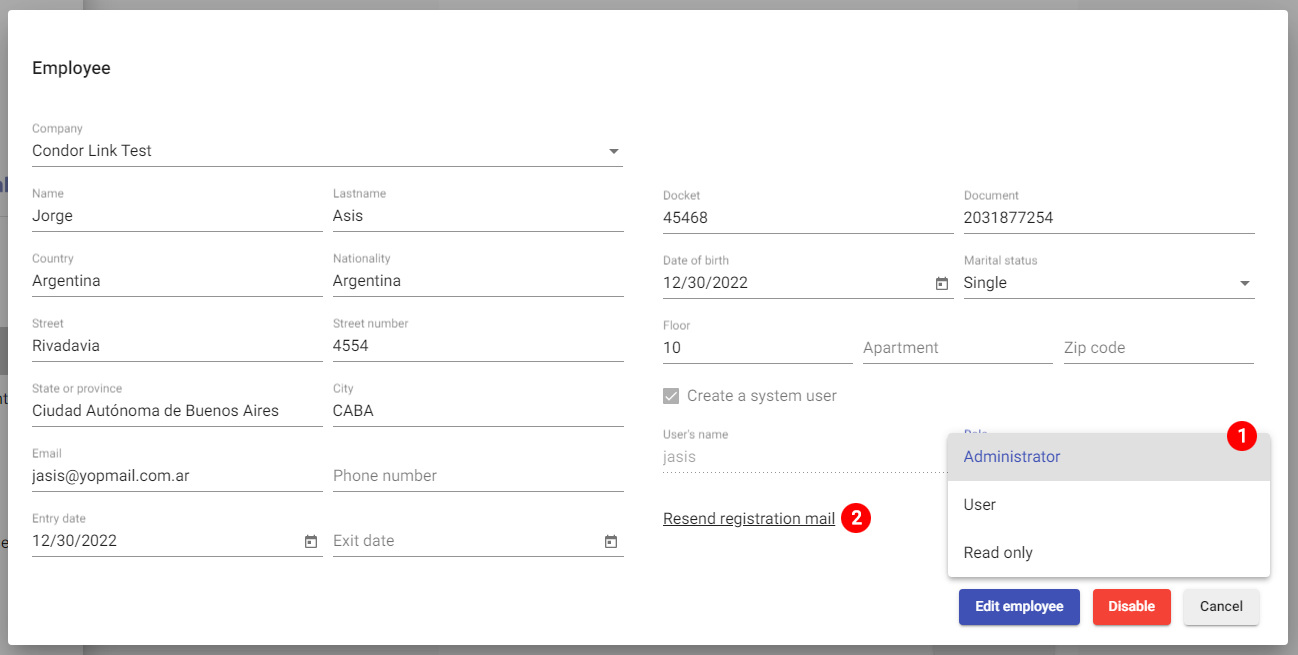
- Role assignment: The administrator user must check the "Create a system user" checkbox, complete the "User name" field and finally designate a role for this user, whether it is the role of Administrator, User or Read-only. Then, the administrator user will have to press the "Edit" button, so that the validation emails can be generated and sent to the employee's email so that he/she can activate his/her user.
- Send Registration Email: In case the staff member could not activate his/her account, the holding administrator user must resend the activation email.